Views: 0 Author: Site Editor Publish Time: 2026-09-23 Origin: Site
Selecting the wrong paper specifications creates immediate operational friction on the print floor. You experience continuous printer jams, toner flaking, and poor ink absorption. These mechanical failures compromise brand presentation and waste valuable resources. Balancing aesthetic requirements with strict technical constraints is a daily challenge. You must consider printer feed limits, heat tolerance, and archiving standards before loading a single ream into the tray. This guide provides an evidence-based framework for technical evaluation. It helps procurement managers and print specialists match exact paper specifications to their hardware and project requirements. We will break down how to evaluate paper weight, sizing standards, and printing method compatibility to ensure flawless execution on your next print run.
GSM Dictates Hardware Compatibility: Selecting paper weight is not just about perceived quality; exceeding your printer’s maximum GSM rating guarantees feed errors and maintenance downtime.
Measurement Systems Matter: Understanding the conversion between metric GSM and North American basis weight (lbs) is critical for accurately matching paper to printer manual specifications.
Print Method Determines Surface Requirements: Laser printers require heat-resistant, smooth finishes for toner adhesion, while inkjet printers demand specific absorption rates to prevent capillary bleed.
Chemical Composition Matters: Opting for woodfree printing paper ensures archival longevity and prevents the rapid yellowing or degradation common in mechanical pulp papers.
Color Impacts Readability: High-contrast requirements dictate the use of pastels for text-heavy documents, reserving neon variants strictly for low-text, high-visibility signage.
Evaluating paper quality requires looking past the visual shade. You must assess the physical and chemical properties governing how the sheet interacts with printing hardware. High-quality paper maintains structural integrity under mechanical stress, extreme heat, and liquid saturation.
Three primary metrics dictate paper performance in standard office and commercial environments. Opacity determines how much light passes through the sheet. High opacity prevents text from showing through on the reverse side during duplex printing, which is mandatory for professional reports. Runnability measures how smoothly paper travels through the printer feed path. High runnability relies on precise cutting tolerances at the mill and minimal paper dust. Optimal moisture content prevents the paper from curling when exposed to fuser heat. Standard copy paper typically maintains a moisture level between 4.5% and 5.5%. Variations outside this strict range cause static buildup, multi-sheet feeding, or severe warping during the printing process.
Performance Metric | Technical Definition | Field Impact on Print Operations |
|---|---|---|
Opacity | Percentage of light blocked from passing through the sheet. | Determines suitability for double-sided (duplex) printing without text show-through. |
Runnability | The physical consistency of the paper's cut and surface friction. | Prevents misfeeds, paper jams, and excessive wear on printer pickup rollers. |
Moisture Content | The percentage of water weight retained within the paper fibers. | Controls static electricity buildup and prevents heat-induced curling in laser fusers. |
Caliper | The actual physical thickness of a single sheet, measured in microns. | Affects how many sheets fit in a standard paper tray and influences tactile stiffness. |
True color copy paper features an uncoated finish. Uncoated paper absorbs ink readily and provides a slightly textured microscopic surface for toner particles to grip. This finish ensures maximum compatibility with standard office printers and high-speed copiers. It also maintains writability for pens, pencils, and stamps. Coated stocks use clay or polymer layers to create gloss, silk, or matte finishes. These coatings restrict liquid absorption and often melt or blister inside standard laser fusers operating at high temperatures. You should reserve coated papers strictly for specialized commercial printing equipment designed to handle non-porous substrates.
The chemical breakdown of wood pulp directly affects document longevity and physical durability. Mechanical pulp retains lignin, a natural polymer binding wood fibers together in the tree. Lignin oxidizes rapidly when exposed to ambient UV light, causing paper to yellow, become brittle, and eventually disintegrate. Selecting woodfree printing paper solves this degradation problem. The chemical pulping process extracts almost all lignin from the cellulose fibers before the paper is formed. This extraction ensures the paper maintains its structural integrity, flexibility, and color fidelity over decades. Archival documents, legal records, and permanent reference materials require this chemical stability to survive long-term storage.
Corporate procurement policies increasingly mandate sustainable sourcing for all consumable materials. Forest Stewardship Council (FSC) and Programme for the Endorsement of Forest Certification (PEFC) certifications verify responsible forestry practices. These labels confirm the paper originates from managed forests rather than illegal logging operations or protected old-growth areas. Meeting these compliance standards aligns with corporate social responsibility goals, satisfies vendor compliance audits, and reduces overall supply chain risk.
Paper weight directly influences tactile feel, opacity, and hardware compatibility. Selecting the correct weight prevents fuser damage, eliminates pickup roller slippage, and reduces unnecessary postal expenses for bulk mailings.
Grams per Square Meter (GSM) provides a standardized, universal metric for paper weight. It measures the physical mass of a one-square-meter sheet of the paper in question. Higher GSM values generally indicate a thicker, stiffer sheet. However, caliper (actual thickness) can vary slightly between brands based on how tightly the fibers are compressed during the calendering process at the mill. High-bulk papers feel thicker than their GSM suggests, offering a premium tactile feel without adding excess physical weight to the document.
The metric GSM system offers straightforward comparisons across all paper types. The North American pound (lb) system creates frequent buyer confusion because it relies on basis weight. Basis weight measures the weight of 500 sheets (a standard ream) in their basic, uncut manufacturing size. Because basic sizes differ drastically between paper categories (bond, text, cover, index), a 28 lb bond paper differs entirely in thickness and stiffness from a 28 lb cover stock. Using standard conversions resolves this confusion and helps you match paper precisely to printer manual specifications.
Metric Weight (GSM) | North American Equivalent | Common Application | Hardware Requirement |
|---|---|---|---|
70gsm - 75gsm | 20 lb Bond / 50 lb Text | High-volume drafts, internal memos, standard copying | Standard auto-feed trays |
80gsm - 90gsm | 24 lb Bond / 60 lb Text | Letterheads, standard presentations, external reports | Standard auto-feed trays |
100gsm - 120gsm | 28 lb - 32 lb Bond / 80 lb Text | Premium brochures, flyers, double-sided color printing | Standard auto-feed trays |
130gsm - 176gsm | 50 lb - 65 lb Cover | Postcards, index cards, report covers, dividers | Manual bypass tray recommended |
200gsm+ | 80 lb+ Cover / 110 lb Index | Heavy cardstock, business cards, rigid signage | Manual bypass tray mandatory |
Daily office operations require cost-effective, lightweight solutions that minimize physical storage space. Using 70gsm color paper reduces physical bulk in large mailed envelopes, directly lowering postage expenses for mass communications. It works perfectly for high-volume internal memos, everyday draft sorting, and color-coded filing systems in medical or legal offices. The primary implementation risk involves low opacity. Lightweight papers suffer from high show-through when printed double-sided, especially with heavy graphics or bold text. You should restrict 70gsm to 80gsm stocks to single-sided printing or internal documents where slight show-through remains acceptable to the reader.
Client-facing materials demand a higher standard of presentation. The 90gsm to 120gsm tier serves as the premium standard for brochures, corporate reports, and professional flyers. This weight provides a substantial tactile feel, communicating quality and attention to detail to the recipient. The increased density significantly improves opacity. You can confidently print heavy graphics, charts, and dense text on both sides without ink bleeding through to the reverse. Almost all standard office printers handle this weight tier smoothly from the main paper cassettes without requiring special driver adjustments.
Projects requiring physical rigidity necessitate cover or cardstock weights. You use these heavy papers for report covers, index dividers, durable signage, and direct mail postcards. Transitioning to weights exceeding 120gsm introduces strict hardware constraints. Standard printer pickup rollers struggle to bend stiff cardstock through tight internal U-turn pathways, leading to immediate jams. You must use manual bypass trays for these materials, which offer a straighter paper path. Always configure the specific heavy-paper settings in your print driver. This adjustment slows down the printing speed, allowing the fuser rollers enough time to melt toner onto the thicker, heat-absorbing sheet properly.
Selecting the correct physical dimensions ensures compatibility with your regional filing systems, mailing envelopes, and printing hardware. Paper sizing standards vary significantly by geography and intended use case, requiring careful alignment before procurement.
The ISO 216 standard governs paper sizes globally outside North America. The standard A4 color paper measures 210 x 297 mm. This format dominates international business environments, government correspondence, and educational materials. You use A4 for standard reporting, training manuals, and daily correspondence. The consistent 1:1.414 aspect ratio across all A-series papers allows seamless scaling. You can reduce an A3 document to fit perfectly on an A4 sheet without altering the layout, stretching images, or leaving uneven margins.
North American offices rely on the ANSI standard sizes for daily operations. The 8.5" x 11" (Letter) size serves as the direct equivalent to A4 for everyday use in the United States and Canada. The 8.5" x 14" (Legal) size provides additional vertical space. Legal-sized colored paper frequently supports administrative sorting, real estate contracts, accounting ledgers, and medical charting. Color-coding legal documents accelerates retrieval times in dense physical filing cabinets and helps administrative staff visually separate different contract versions.
Large format projects require specialty sizes like A3 (297 x 420 mm) or Tabloid (11" x 17"). You select these dimensions for folded brochures, promotional posters, engineering schematics, and architectural drafts. These formats provide the necessary canvas for complex diagrams and large typography that would become illegible on standard letter sizes. Utilizing specialty sizes requires wide-format printing hardware. Standard desktop printers cannot accommodate widths exceeding 8.5 inches or 210 mm, requiring dedicated floor-standing multifunction devices.
Color choice dictates document readability, user engagement, and accessibility. You must balance visual impact with optical contrast to ensure your message remains legible under various lighting conditions.
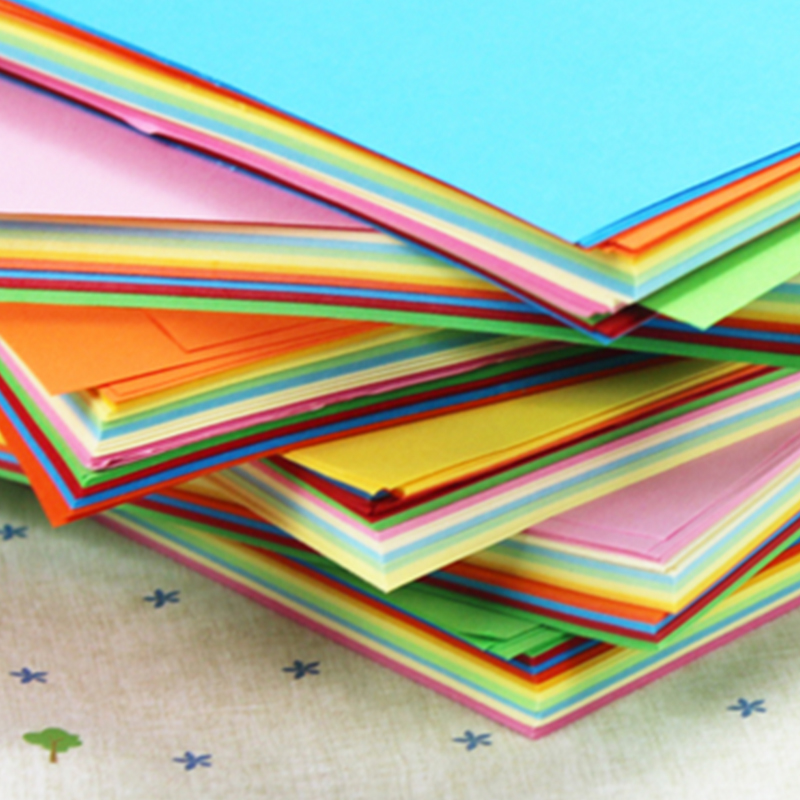
Text-heavy documents require high optical contrast between the printed ink and the paper background. Standard colored printer paper in pastel shades provides this necessary contrast. Light blue, soft pink, pale yellow, and mint green backgrounds allow standard black toner to stand out sharply. The human eye processes these combinations easily, reducing reading fatigue during extended periods of study or review. You should deploy pastel papers for training manuals, lengthy corporate reports, multi-page employee handbooks, and educational worksheets.
Urgent communications demand immediate visual attention on crowded notice boards or busy warehouse floors. You deploy neon copy paper for safety notices, urgent warehouse routing tags, hazard warnings, and event ticketing. The fluorescent dyes reflect maximum light, ensuring visibility from a distance. However, neon backgrounds present severe accessibility risks. Dense paragraphs of text become entirely illegible against bright green or hot pink backgrounds due to optical vibration. You must restrict neon paper usage to documents featuring minimal copy, utilizing heavy, bold typography and simple, universally recognized iconography.
Paper performs differently depending on the mechanical technology applying the image. Matching the paper surface to the specific printing method prevents smudging, flaking, and catastrophic mechanical jams inside the machine.
Laser printers utilize static electricity and extreme heat to create images. The fuser rollers apply heavy physical pressure and temperatures exceeding 200°C (392°F) to melt microscopic plastic toner particles onto the page. Paper used in laser printers must possess a smooth finish to ensure even toner adhesion across the entire sheet. Rough textures cause the toner to sit unevenly, leading to flaking or scratching after printing. The paper must also maintain strict moisture tolerances. Excessive moisture turns to steam instantly under the fuser, causing the paper to curl tightly, blister, or jam in the narrow exit tray.
Inkjet technology sprays microscopic droplets of liquid ink directly onto the page. The paper fibers must absorb this liquid quickly to prevent smudging as the paper exits the machine. However, excessive absorption causes capillary bleed, where the ink spreads outward along the microscopic wood fibers. This feathering effect ruins text crispness and blurs barcode lines. Inkjet-optimized papers feature specific surface sizing treatments. These chemical additives hold the ink pigment near the surface while allowing the water carrier to evaporate, ensuring sharp lines and preventing oversaturation on colored backgrounds.
Commercial print runs utilize offset lithography for massive volumes exceeding thousands of copies. Offset presses demand exceptional runnability and dimensional stability to operate at high speeds. Grain direction becomes a critical factor in this environment. Paper fibers align in one specific direction during manufacturing, creating either long grain or short grain sheets. Feeding paper against the grain causes registration errors, where CMYK color layers misalign and create blurry images. Folding against the grain causes the paper surface to crack, ruining the final presentation of brochures or covers. You must verify grain direction with your paper supplier before initiating large offset runs.
Even the highest quality paper fails if mishandled before it reaches the printer. Environmental controls, proper acclimation, and vendor selection dictate long-term project success and hardware uptime.
Paper acts like a sponge, constantly absorbing or releasing moisture to match the surrounding air. Improper storage in high humidity causes wavy edges as the exposed sides absorb moisture and expand. Extreme dry conditions cause tight, curling edges as the paper loses its internal moisture. Both conditions lead to inevitable misfeeds, skewed printing, and printer jams. You must store paper in climate-controlled environments, maintaining relative humidity between 45% and 55%.
Follow this strict acclimation process for new paper deliveries:
Leave the paper sealed in its original moisture-proof wrapper and shipping carton.
Move the cartons into the active print room environment where the machines operate.
Allow the paper to sit undisturbed for a minimum of 24 to 48 hours to match the room temperature.
Open only the specific number of reams required for the immediate print run.
Reseal any unused paper in the original wrapper using tape to lock out ambient humidity.
Procurement teams often chase volume discounts by purchasing pallet quantities of paper. You must analyze the cost-benefit of bulk purchasing against potential paper degradation. Paper stored in non-climate-controlled warehouses degrades over time. Seasonal moisture fluctuations warp the sheets, rendering the bottom boxes on a pallet unusable due to compression and humidity damage. Purchase only what your organization can consume within a six-month window unless you possess dedicated, climate-controlled storage facilities designed specifically for paper inventory.
Color batch variations occur frequently between different paper manufacturers. A yellow sheet from one mill may appear slightly orange or green compared to another mill's product due to different dye formulations. This inconsistency damages brand presentation on long-term projects or serialized reports. Advise your procurement team to stick to a single mill or brand for campaigns requiring exact color matching over several months. Requesting sample swatches before committing to large orders mitigates this risk and establishes a baseline for quality control.
Follow these immediate next steps to optimize your print operations and eliminate hardware friction:
Verify your printer's maximum GSM limits and locate the manual feed path for heavy stocks.
Consult your printer’s technical manual to document exact media specifications and weight limits.
Request sample swatches from suppliers to conduct test runs on your specific hardware.
Audit your current paper storage area for temperature and humidity control.
A: The terms are generally interchangeable in office environments. Both refer to uncoated, dyed paper designed for standard laser and inkjet hardware. "Copy paper" historically implied lighter weights (70-80gsm) for high-volume duplication, while "printer paper" might encompass slightly heavier weights (90gsm+) for external presentations. Always check the GSM rating rather than relying on the marketing terminology.
A: You convert basis weight (lbs) to GSM using standard industry multipliers, depending on the paper type. For standard bond/copy paper, multiply the lb weight by 3.76. Therefore, a standard 20 lb bond paper equals roughly 75gsm. A 24 lb bond paper equals roughly 90gsm. Always check the paper packaging, as most modern reams list both measurements.
A: Yes, standard office laser printers easily handle 70gsm paper. It feeds smoothly through standard trays. However, because it is thinner, it lacks opacity. You will likely experience show-through if you attempt double-sided printing. Reserve 70gsm strictly for single-sided internal documents or high-volume mailings where reducing physical weight is necessary.
A: Neon paper reflects massive amounts of light, which overpowers the contrast of standard black ink. Additionally, the heavy dyes used to create fluorescent colors can alter the paper's surface absorption rate. Inkjet liquid may spread differently on these heavy dyes, causing feathering. Always use bold, thick fonts and laser printers for neon backgrounds.
A: Woodfree means the mechanical wood pulp has undergone a chemical process to remove lignin. Lignin is the natural binder in wood that turns yellow and brittle when exposed to light. Removing it creates a chemically stable sheet. Woodfree paper maintains its color fidelity, strength, and flexibility for decades, making it essential for archival documents.
A: Ink bleed occurs when paper fibers absorb liquid too quickly. To stop this, select paper specifically labeled as "inkjet optimized" or featuring "ColorLok" technology. These papers contain chemical surface sizing that holds the ink droplets on the surface. Alternatively, switch your printer driver settings to "Draft" mode to deposit less liquid ink onto the page.